
HubSpot Integration
HubSpot is a customer relationship management (CRM) platform that unifies marketing, sales, content management, and customer service tools. Integrating PropelAuth with HubSpot will automatically sync your users directly into your HubSpot account, as well as sync HubSpot properties to the PropelAuth Dashboard.
Set Up
Log into your HubSpot account and navigate to the Development page, click the Keys dropdown, and select Service Keys. Then, select Create service key.
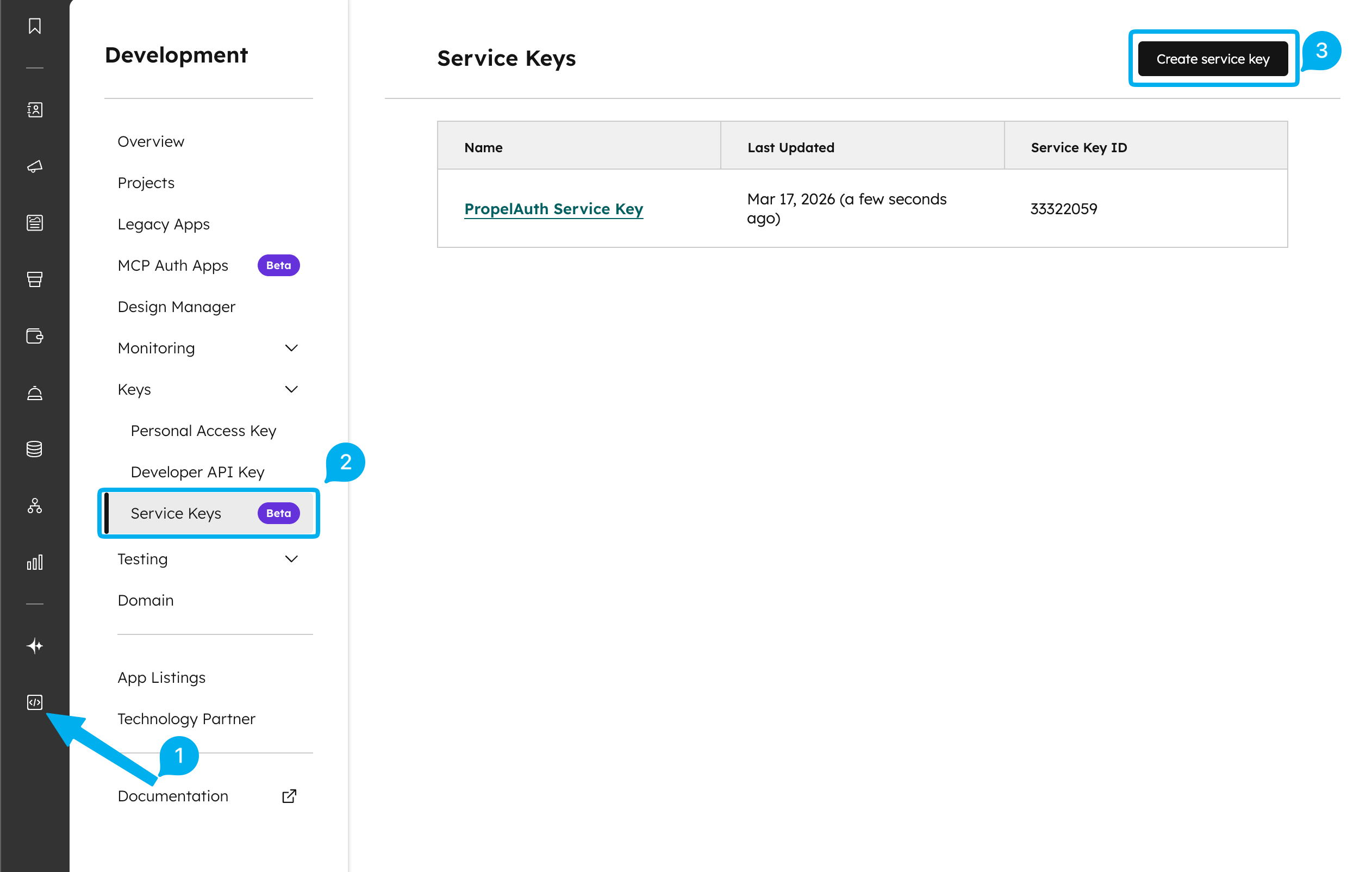
Name your service key and add the following scopes to it:
- crm.schemas.contacts.write
- crm.schemas.companies.write
- crm.objects.companies.read
- crm.objects.companies.write
- crm.objects.contacts.read
- crm.objects.contacts.write
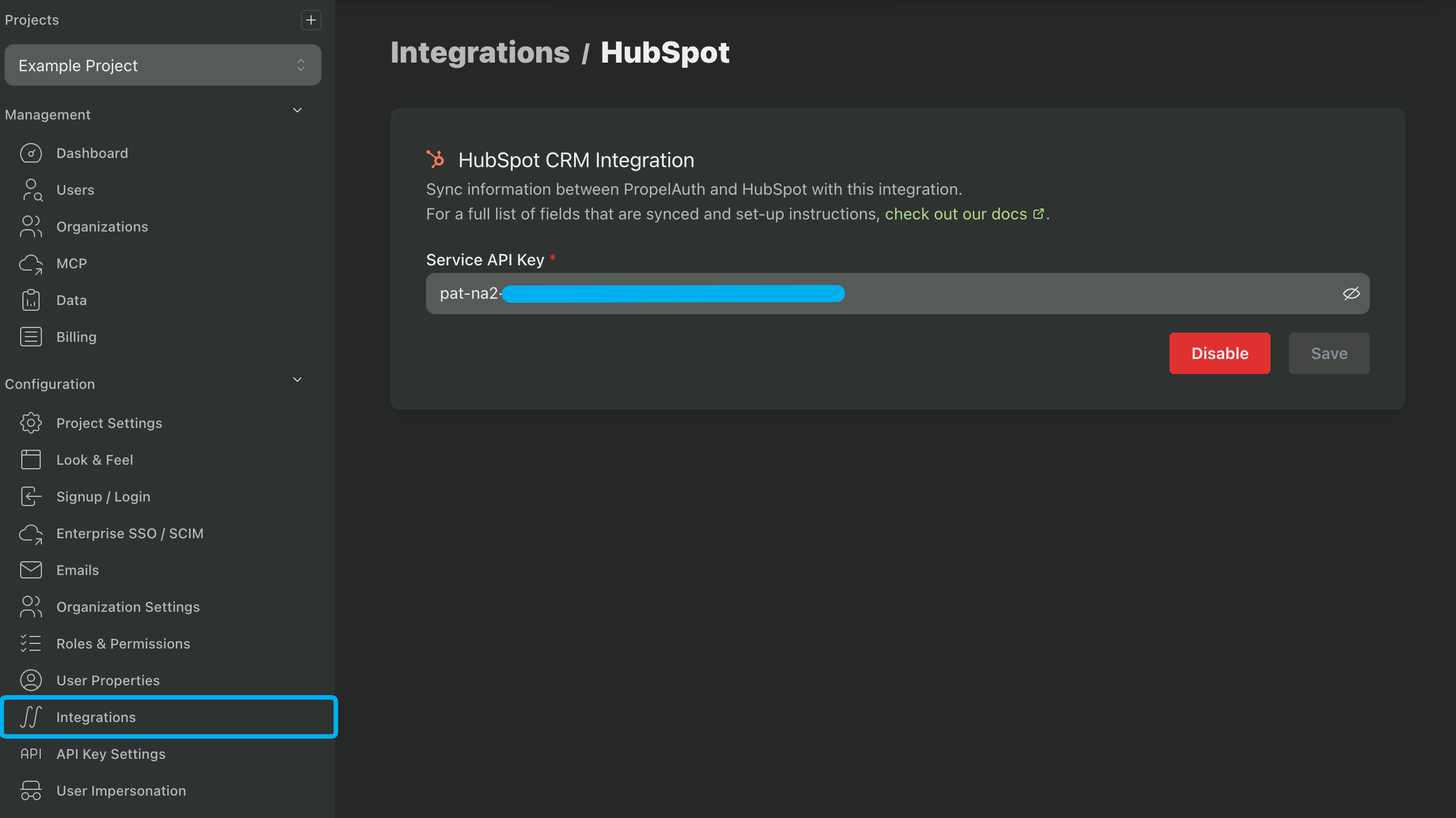
After creating the service key, navigate to your PropelAuth Dashboard, click on the Integrations page and look for the HubSpot button. Then, copy and paste your HubSpot Service Key into the Service key field.
Syncing Organizations
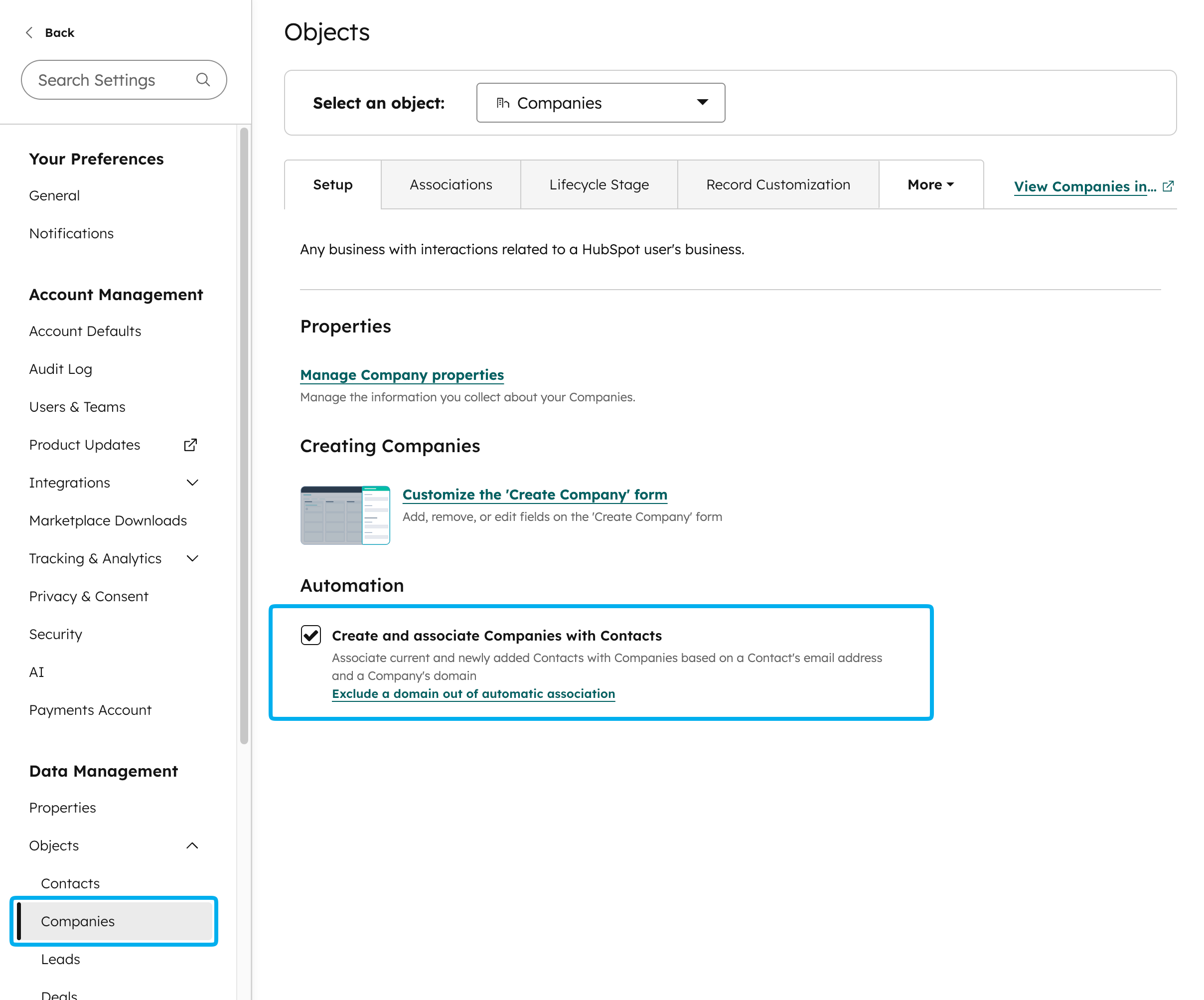
The PropelAuth HubSpot integration does not create organizations in HubSpot. Instead, we recommend enabling the Create and associate companies with contacts setting within HubSpot to automatically create and associate organizations with users that have matching email domains.
With this setting enabled, a user synced from PropelAuth to HubSpot will either be automatically added to an existing company or a new one will be created for them.
Fields synced from HubSpot to PropelAuth
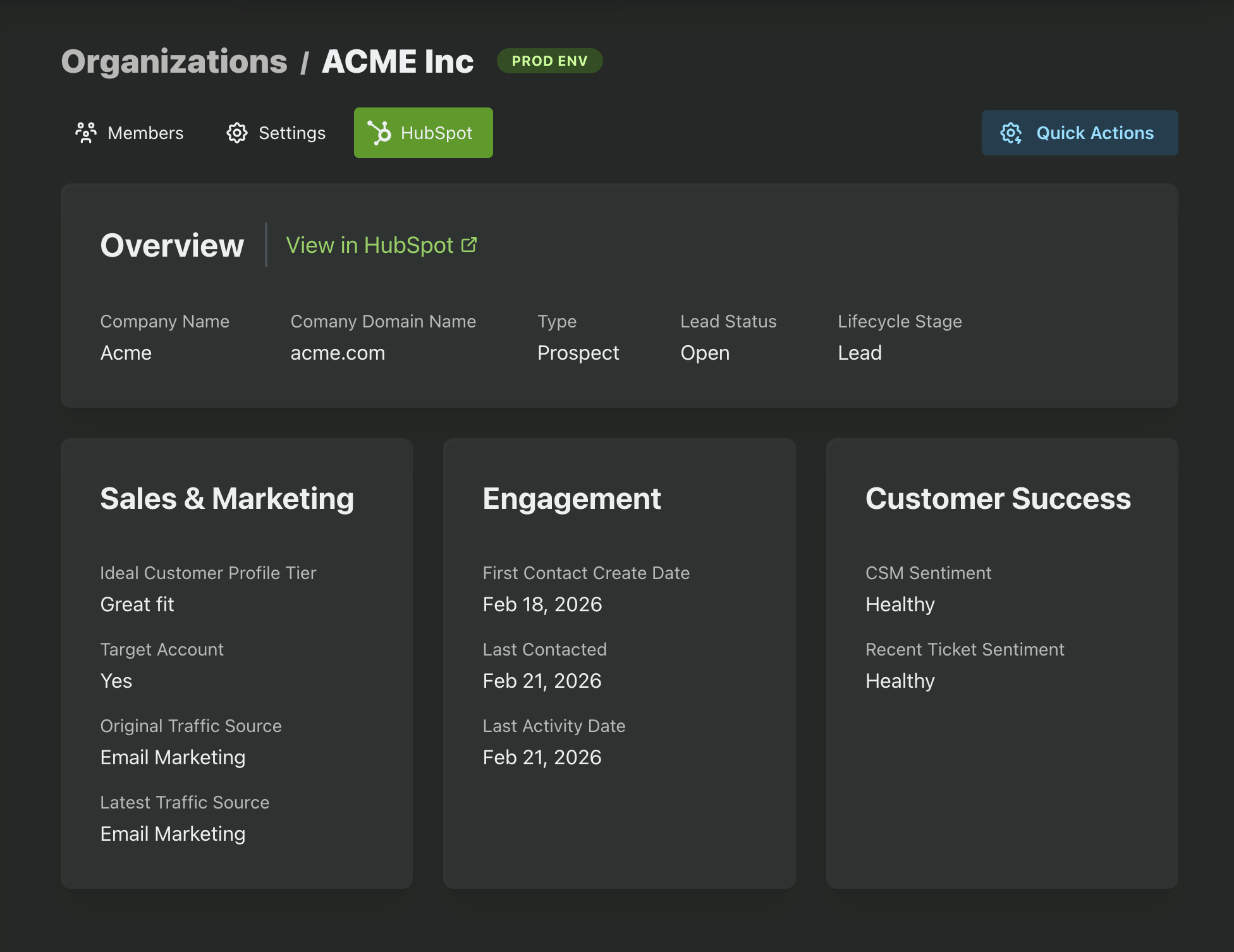
User (contact) and organization (company) data is synced from HubSpot to PropelAuth, allowing you to view HubSpot data directly in the PropelAuth Dashboard by navigating to the user's or organization's page.
Organization Data
The following organization/company data is synced from HubSpot to PropelAuth.
| Company Name | Company Domain | Type | Lead Status |
| Ideal Customer Profile Tier | Target Account | Original Traffic Source | Latest Traffic Source |
| First Contact Create Date | Last Contacted | Last Activity Date | CSM Sentiment |
| Recent Ticket Sentiment | Close Date | Last Meeting Booked | HubSpot Owner ID |
User Data
The following user/contact data is synced from HubSpot to PropelAuth.
| Lead Status | Lifecycle Stage | Last Sales Activity Date | Buying Role |
| Analytics Source | Last Contacted | Notes Last Updated | Likelihood to Close |
| Lead Rating | Contact Priority | Close Date | Last Meeting Booked |
| Journey Stage | HubSpot Owner ID | Last CSAT Survey Date | Last CSAT Survey Follow Up |
| Last CSAT Survey Rating | Last NPS Follow Up | Last NPS Rating | Last Survey Date |
| Last CES Survey Date | Last CES Survey Follow Up | Last CES Survey Rating | Timezone |
Fields synced from PropelAuth to HubSpot
The following user fields are synced from PropelAuth to HubSpot:
- First Name
- Last Name
- PropelAuth User ID
- PropelAuth Last Active At
- PropelAuth User URL
The PropelAuth User ID, PropelAuth Last Active At, and PropelAuth User URL fields will be automatically created in your HubSpot instance and can be displayed in the user's HubSpot profile.
Organization fields are currently not synced from PropelAuth to HubSpot.