Session Management
A session is a fundamental part of any authentication system. At a high level, a session is a way to remember that a user has logged in to your application. Sessions are typically created when a user logs in and are used to validate the user on subsequent requests.
PropelAuth allows you to manage sessions in several ways, including setting the Login Duration and managing individual user sessions.
User Login Duration
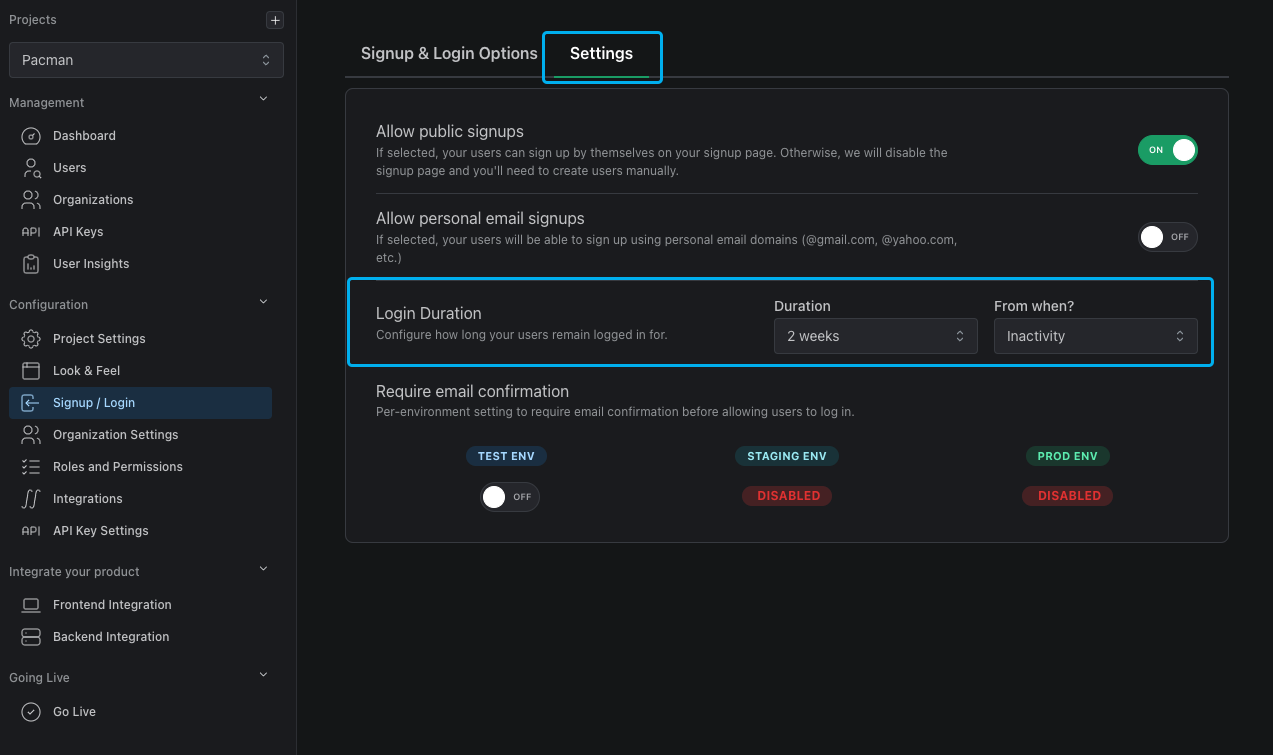
You can control the length of user sessions by configuring the Login Duration setting found in the Signup / Login page of the PropelAuth Dashboard. You can choose between ending a session after a fixed amount of time or having it stay open as long as the user remains active.
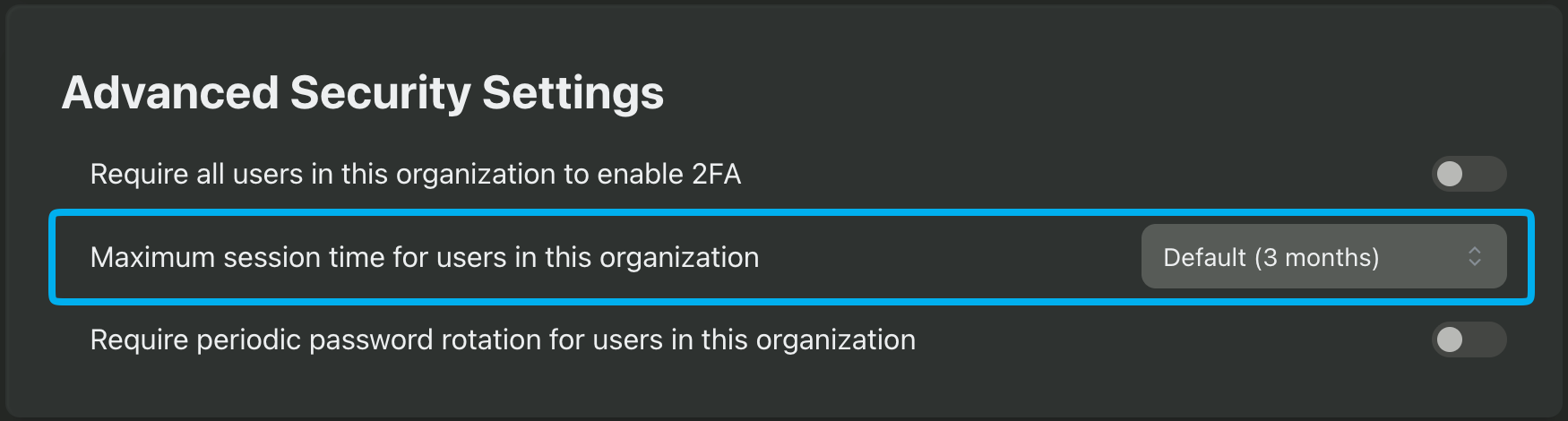
PropelAuth offers more granular session duration options, such as setting the session duration for Enterprise SSO users or setting the maximum session duration for individual organizations. You can find this setting by navigating to the organization's page, selecting the Settings tab, and scrolling down to the Advanced Security Settings section.
Enabling Session Management
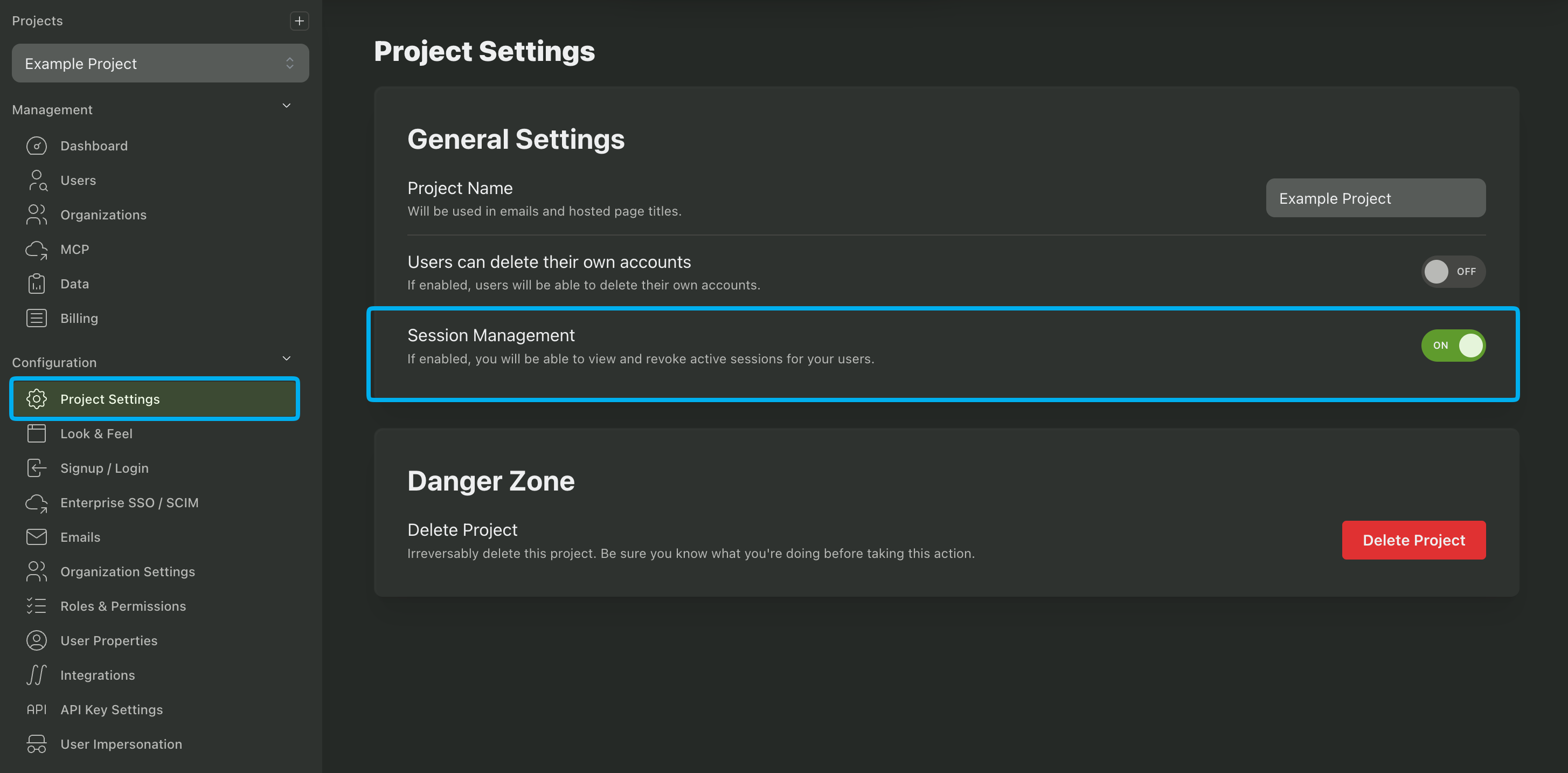
Enabling the Session Management feature allows you and your users to view and manage sessions. This feature is available in the PropelAuth Dashboard in the Project Settings page.
Managing Individual User Sessions
You can manage individual user sessions by navigating to the Users page in the PropelAuth Dashboard. From there, select a user and then scroll down to the User Sessions section. Here, you can view and manage the sessions for each user, including ending them manually if necessary.
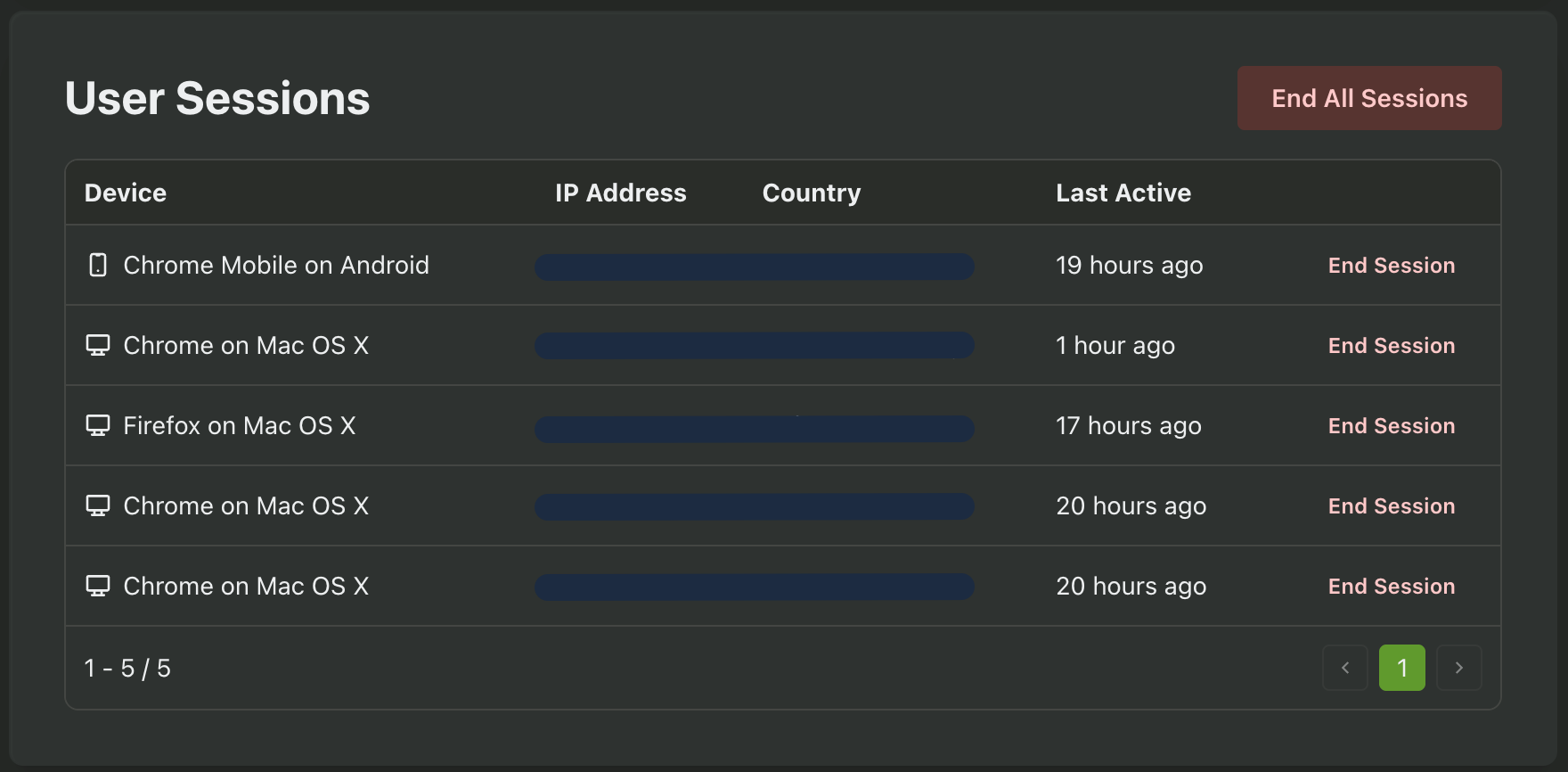
PropelAuth also provides the session's details - including the user agent, country, IP address, and when the session was last active. A session is active when a new access token is issued for that session.
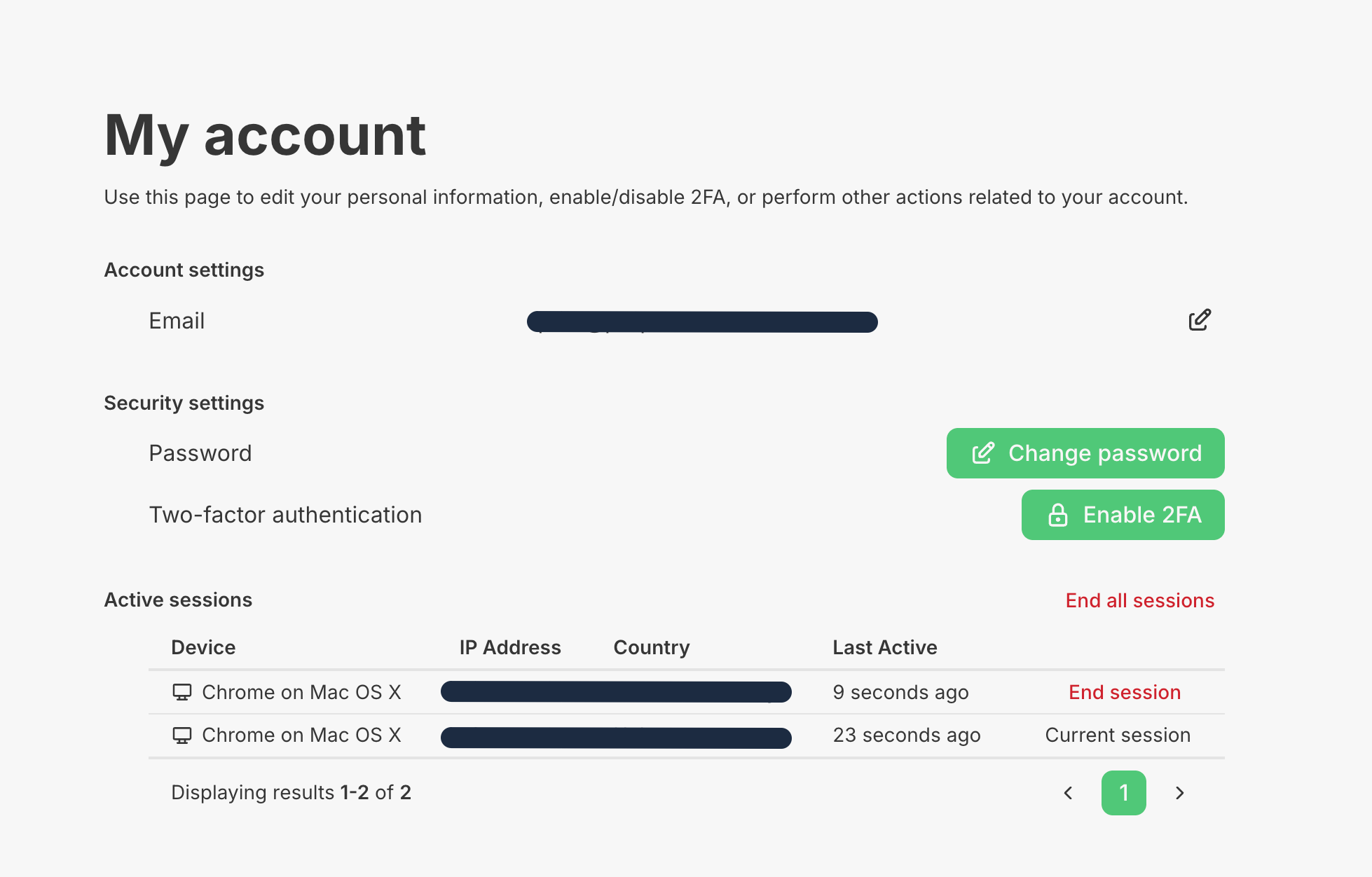
Your customers can also view and manage their own sessions in the User Account Hosted Page.